
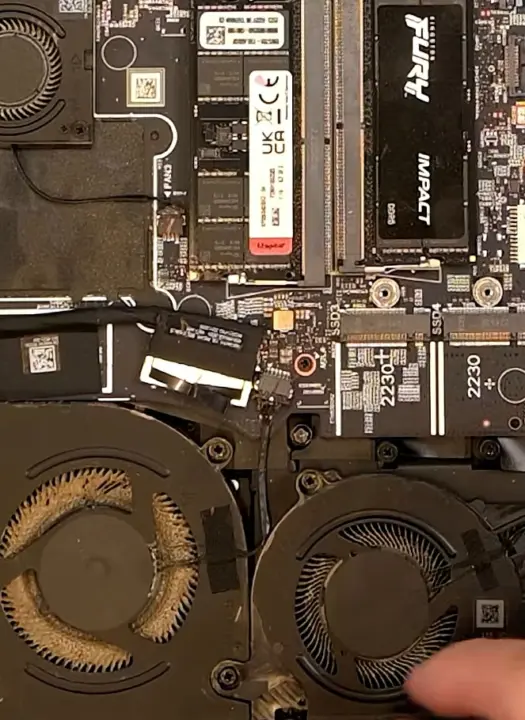
A Dell Alienware gaming laptop recently failed to power on, serving as a stark reminder that high-performance hardware demands regular maintenance. The incident highlights how user neglect can lead to catastrophic component failure, a risk that affects owners of powerful gaming laptops who prioritize performance over upkeep. Buyers should recognize that ignoring basic cleaning routines can turn a manageable maintenance task into a costly repair.
Clogged fans caused overheating that shorted the DDR5 power rail capacitor
The root cause of the failure was traced to clogged fans that prevented proper airflow through the system. This lack of ventilation resulted in excessive overheating, which pushed the internal components beyond their thermal limits. The sustained heat stress ultimately triggered a short circuit in the DDR5 power rail capacitor, rendering the machine unbootable.
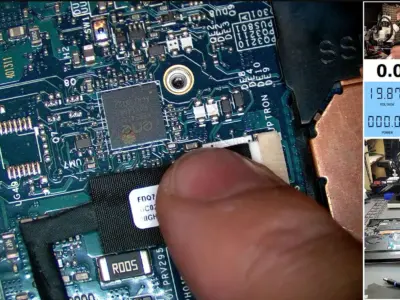
Visual inspection revealed the blown-out capacitor before multimeter testing confirmed the specific point of failure. The repair process required replacing the damaged component and addressing the underlying thermal issues. Technicians recommended changing the thermal paste for both the CPU and GPU to restore efficient heat transfer.
Proper maintenance also involves removing thermal putty or pads from the GPU memory, VRMs, and MOSFETs during servicing. For users looking to manage temperatures proactively, software tools like ThrottleStop for Intel processors and MSI Afterburner for GPUs offer control over system parameters. Undervolting and regular cleaning are essential steps to prevent similar overheating incidents in the future.
Discussion
0 comments
Log in to join the thread with a thoughtful take, question, or correction.