
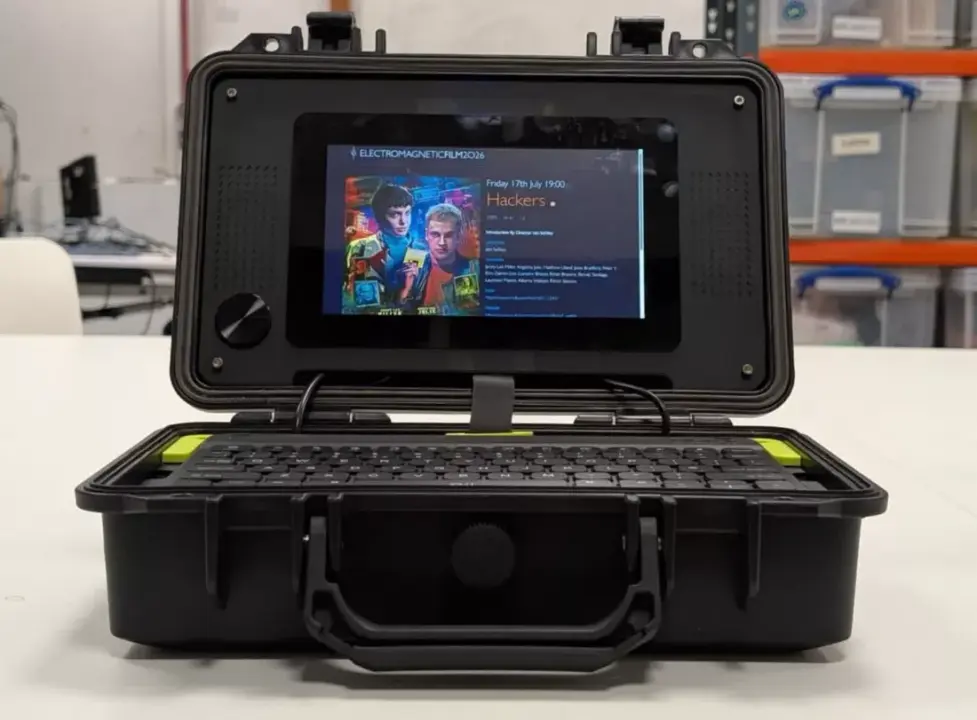
Raspberry Pi has released an official guide for building a portable 'cyberdeck,' a compact, handheld computer setup. This matters to makers and hobbyists who want a structured, reliable way to assemble a rugged device without guessing which parts fit together. The guide targets the maker community by providing a curated list of compatible components for a specific form factor.
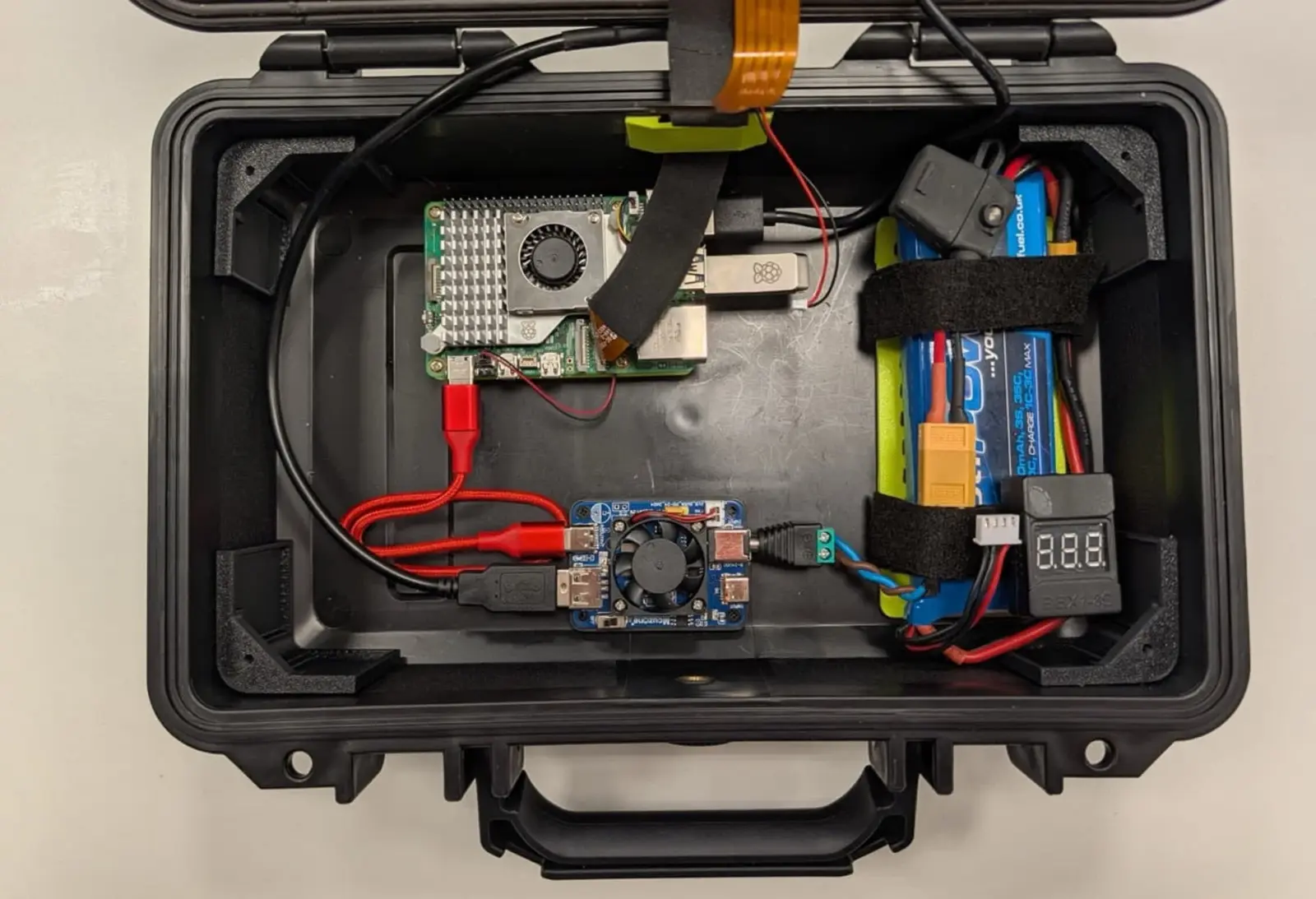
Curated hardware list for rugged handheld computing
The core of the build relies on the Raspberry Pi 5 single-board computer as the main processing unit. To ensure smooth operation, the guide recommends replacing standard microSD cards with a 128GB Raspberry Pi Flash Drive, which offers faster and more stable storage performance. This storage choice helps prevent the system slowdowns common with traditional card-based setups in portable builds.
Recommended Cyberdeck Components
- Main Computer: Raspberry Pi 5 Single Board Computer
- Storage: 128GB Raspberry Pi Flash Drive
- Display: 7-inch Landscape Raspberry Pi Touch Display 2 (1280 x 720 resolution)
- Keyboard: Rii RK302 Bluetooth Keyboard
- Power: Power bank (recommended) and Raspberry Pi RTC Battery
For the interface, the project pairs the computer with a 7-inch Raspberry Pi Touch Display 2 featuring a 1280 x 720 resolution in landscape mode. Input is handled by a Rii RK302 Bluetooth keyboard, which is specifically noted for its slim profile that fits neatly inside a Pelican hard case. This combination creates a self-contained terminal that fits securely within a protective shell.
Power and timekeeping are managed through external accessories rather than internal batteries. The guide suggests using a power bank for portable operation and adding a Raspberry Pi RTC Battery to maintain real-time clock functionality when the device is off. Some observers view this official guide as a marketing effort to drive sales of these specific Raspberry Pi accessories, though it provides a clear blueprint for enthusiasts.
The project is featured in Raspberry Pi Magazine issue 168 and offers a concrete starting point for building a durable, portable computing device. Builders can follow the recommended component list to assemble a functional cyberdeck that balances performance with physical ruggedness.


Discussion
0 comments
Log in to join the thread with a thoughtful take, question, or correction.