
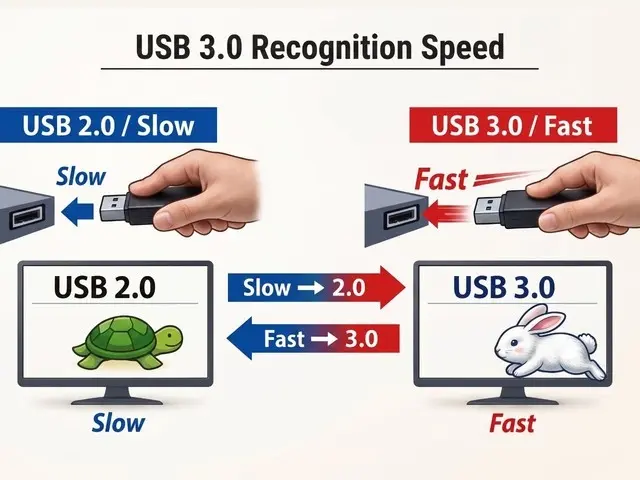
Plugging a USB drive in too slowly can force your computer to ignore its high-speed capabilities. This physical quirk means users might experience sluggish file transfers without any software error to blame. The issue stems from the connector's dual-layer design rather than a driver malfunction.
Slow insertion triggers a hardware handshake timeout that locks the drive to older standards
The USB 3.0 Type-A connector contains nine contacts arranged in two distinct layers. Four shallow pins at the front handle standard USB 2.0 power and data. Five deeper pins at the back carry the SuperSpeed signals required for faster transfers.
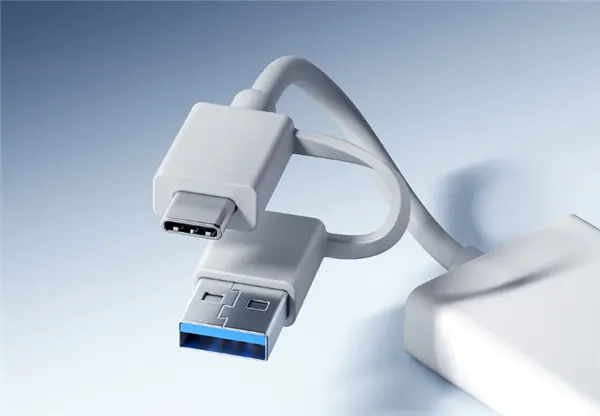
The system relies on a tight timing window to recognize the high-speed pins. A handshake timeout of approximately 100 to 200 milliseconds determines if the deep pins connect in time. If the shallow pins touch first and the deep pins lag, the controller defaults to the slower USB 2.0 standard.
This downgrade is permanent for the current session. The device will not automatically renegotiate back to USB 3.0 speeds once the connection is established. Users must unplug the drive and reinsert it quickly to trigger the high-speed handshake again.
A Japanese PC chain explained that this behavior is a necessary physical edge case for backward compatibility. They noted that the two layers of pins must contact almost simultaneously for the host to enable the high-speed channel. This confirms the speed drop is a hardware limitation, not a software bug.
Discussion
0 comments
Log in to join the thread with a thoughtful take, question, or correction.