
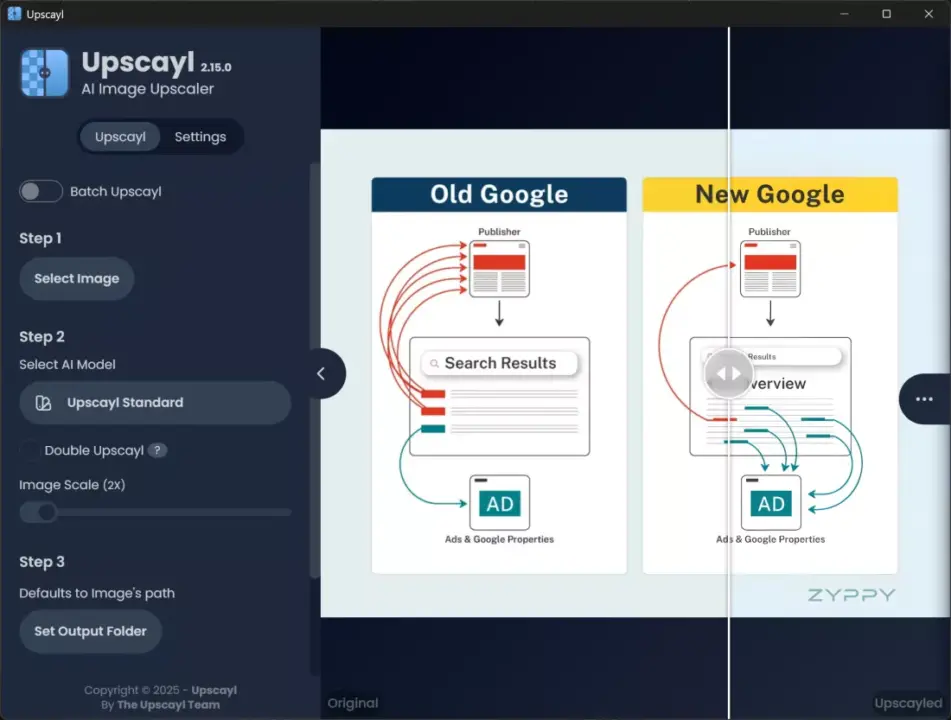
Upscayl version 2.15 updates the open-source image upscaling tool with new AI capabilities and interface improvements. This release matters to users who need to enlarge images without losing detail, as the update introduces a High Fidelity model designed for better quality. The software now supports direct clipboard pasting, which simplifies the workflow for people who frequently upscale screenshots or copied graphics. We can now process images from the clipboard immediately without saving them to a file first.
New version introduces High Fidelity model and clipboard paste
The application relies on the Vulkan architecture for GPU acceleration, meaning it requires a compatible graphics card to function. CPU-only operation is not supported, so users must have hardware that handles Vulkan workloads. Upscayl runs on Linux, macOS, and Windows, providing broad compatibility across major desktop operating systems. The tool uses Real-ESRGAN technology to enhance images while maintaining structural integrity.
Version 2.15 adds a new Lens Viewer feature to help users inspect upscaling results. It also introduces TTA mode, which stands for Test-Time Augmentation, to potentially improve output consistency. The update includes an onboarding dialog that lets users configure settings before starting their first task. Support for the JFIF image format has been added to expand the types of files the software can handle.
The interface now supports multiple languages, including English, Russian, Japanese, French, Spanish, Portuguese, Vietnamese, Indonesian, and Chinese. The software remains free and open source under the AGPLv3 license. Upscayl uses advanced AI technology to enlarge images without significantly degrading quality. This approach provides an effect similar to magic for users who need to scale up low-resolution graphics.
The release confirms that the tool continues to prioritize GPU-based processing for image enhancement. Users with compatible hardware can now benefit from the new High Fidelity model and improved workflow features. The addition of multi-language support makes the tool more accessible to a global audience. We can expect this update to streamline the process for anyone relying on open-source upscaling solutions.


Discussion
0 comments
Log in to join the thread with a thoughtful take, question, or correction.