
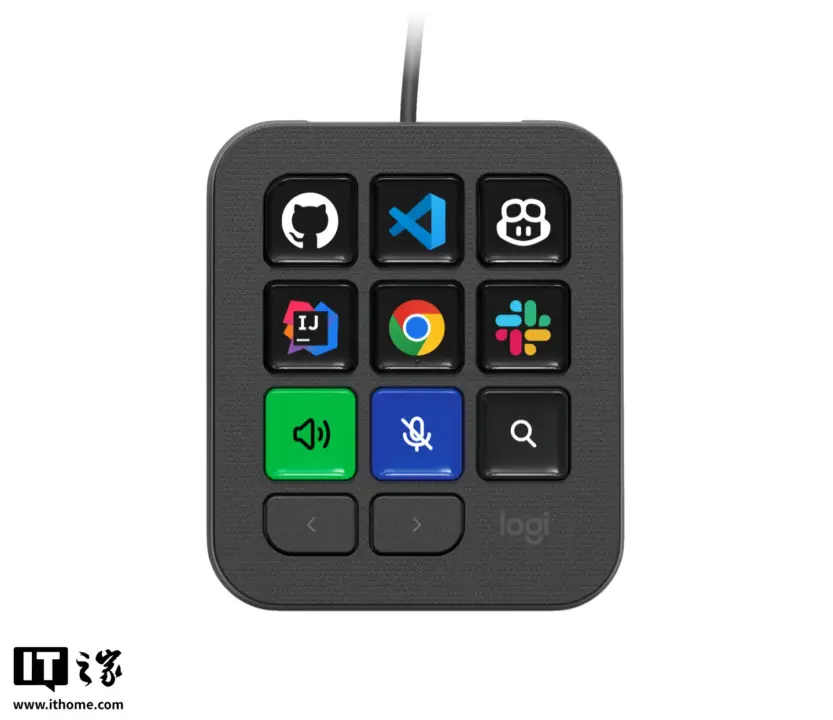
Logitech has released the MX Keypad, a compact desktop controller designed to streamline workflows for developers and users of Vibe Coding tools. This device matters because it replaces repetitive manual typing with one-tap access to complex commands, shortcuts, and scripts. You can assign specific prompts or macros to the keys through the Logi Options+ software, which saves time during coding sessions or when switching between applications.
Compact controller with nine full-color LCD keys for developers
The MX Keypad features a small form factor that sits neatly beside your keyboard without taking up valuable desk space. It connects to your computer via a USB-C cable, ensuring a stable connection for your daily tasks. The device is available in two color options: Graphite and Light Grey, allowing you to match your existing setup.
The core of the keypad consists of nine customizable full-color LCD keys. These displays can show different layouts automatically depending on the active application, such as VS Code, Slack, or Chrome. This automatic switching means you do not need to manually reconfigure the keys when you switch contexts.
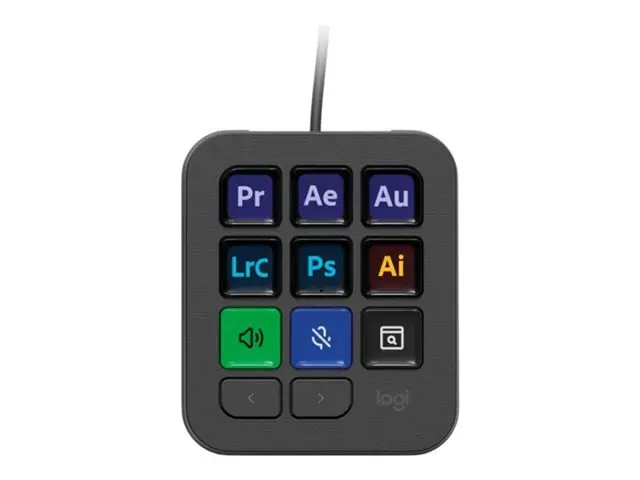
The unit measures 9.1 by 7.9 centimeters and weighs just 96 grams, making it highly portable. It supports macOS 13 and later, as well as Windows 10 or newer operating systems. Logitech lists the price at 99 USD (around $99.00) for the global market.
This launch adds a dedicated hardware interface to the Logitech MX ecosystem, targeting efficiency-focused users. The device ships with the capability to integrate deeply with developer tools through its software suite. Buyers looking to reduce keyboard clutter and speed up command execution have a new option to consider.

Discussion
0 comments
Log in to join the thread with a thoughtful take, question, or correction.