
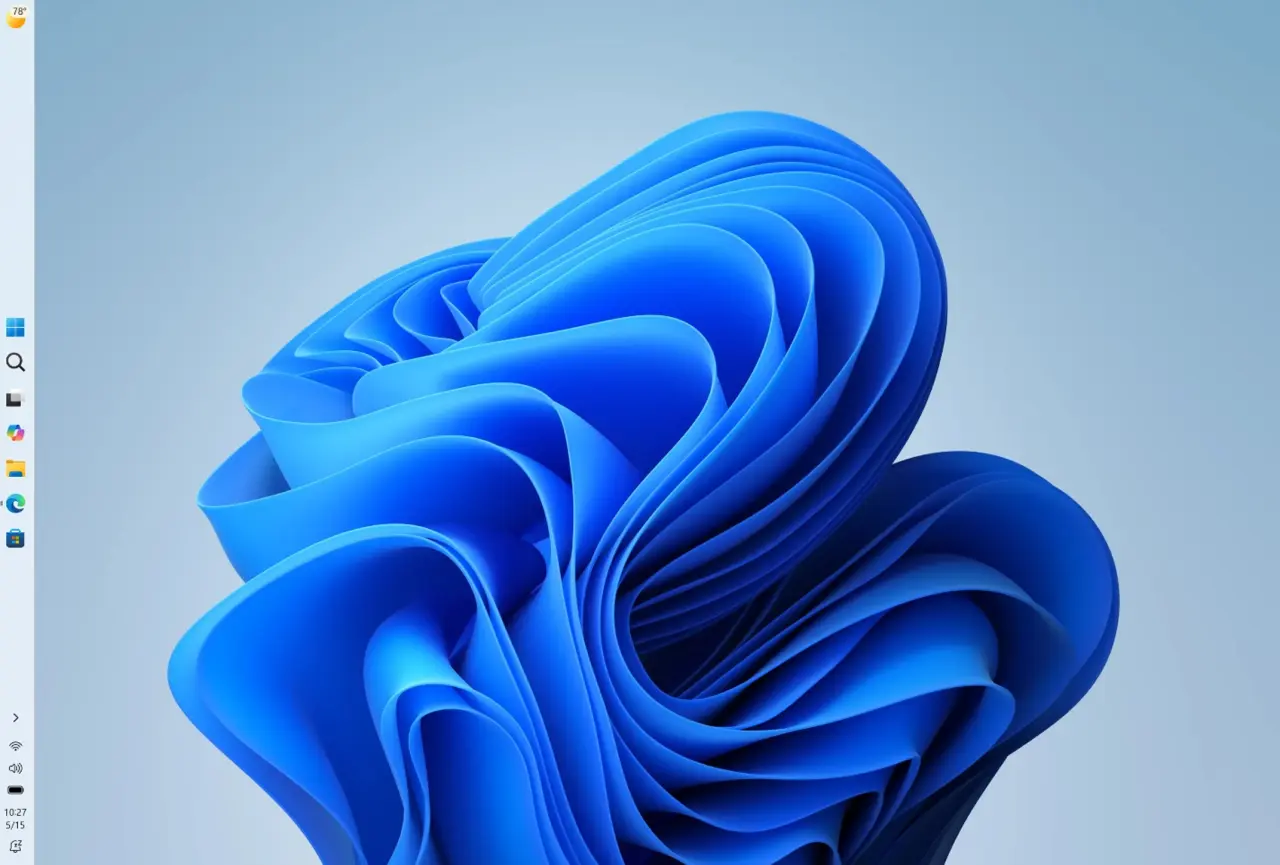
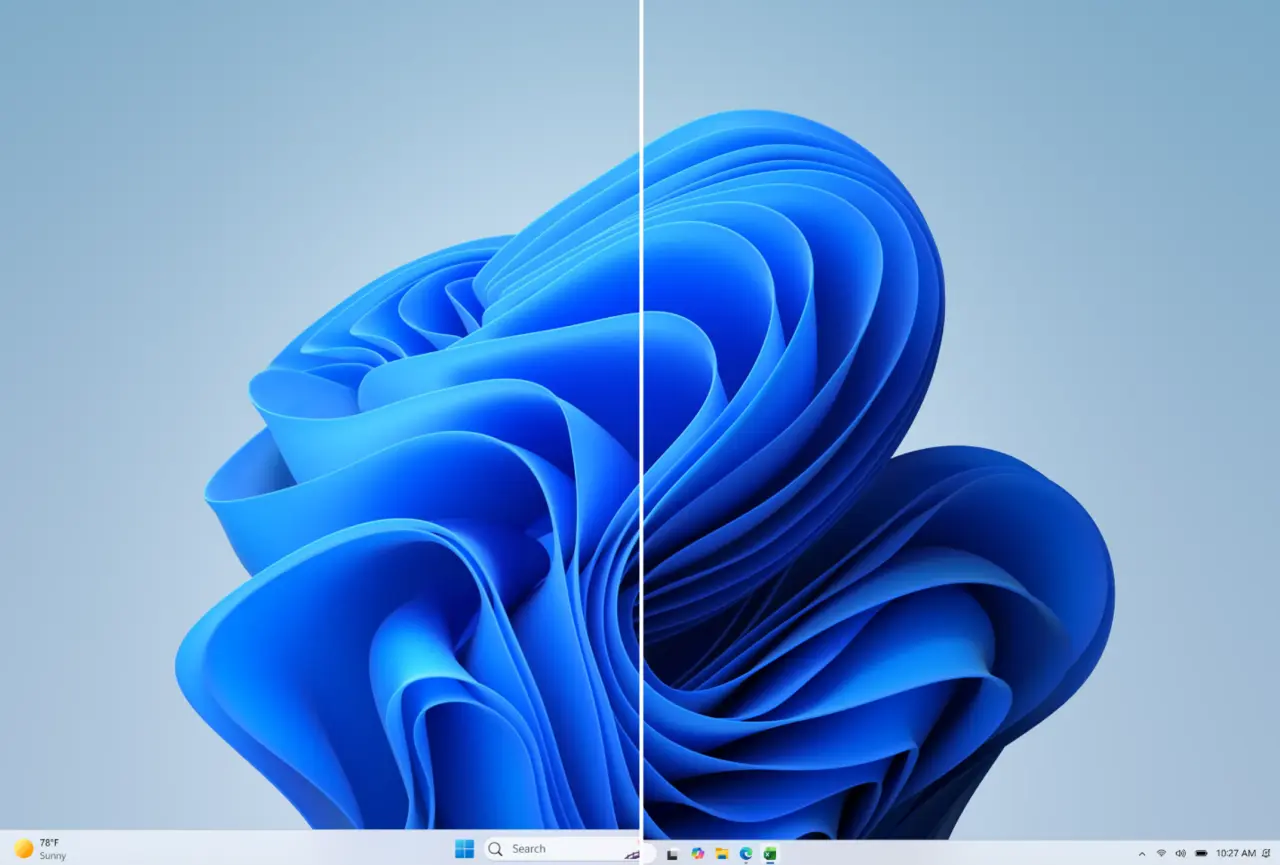
Microsoft has released new Windows 11 preview builds for the Experimental and Beta Channels. The Experimental Channel build 26300.8493 introduces vertical taskbar positioning and a smaller taskbar option. Users can now place the taskbar at the top, left, or right side of the screen.
Experimental Channel gets vertical taskbar
Beta Channel build 26220.8474 includes Fluid Dictation support for Spanish and French. Fluid Dictation uses on-device small language models to correct grammar, punctuation, and filler words. The update also improves File Explorer reliability and SSDP notification reliability. Widgets badge color now matches the Windows accent color instead of always red. The Windows Search Box now prioritizes local files and apps over web suggestions.
New consistent solid spinners have been introduced for Boot, Logon, Restart, Shutdown, and Update flows. Logon performance optimizations begin with this flight. Microsoft also improved reliability when switching between multiple desktops, running the dism /online /cleanup-image /restorehealth command, and keeping the PC asleep if it was asleep before an update.
A known bug in this flight may cause Reset PC to get stuck. Microsoft recommends using the cloud download option as a workaround. The company has not confirmed a public release date for these features.
Discussion
0 comments
Log in to join the thread with a thoughtful take, question, or correction.