
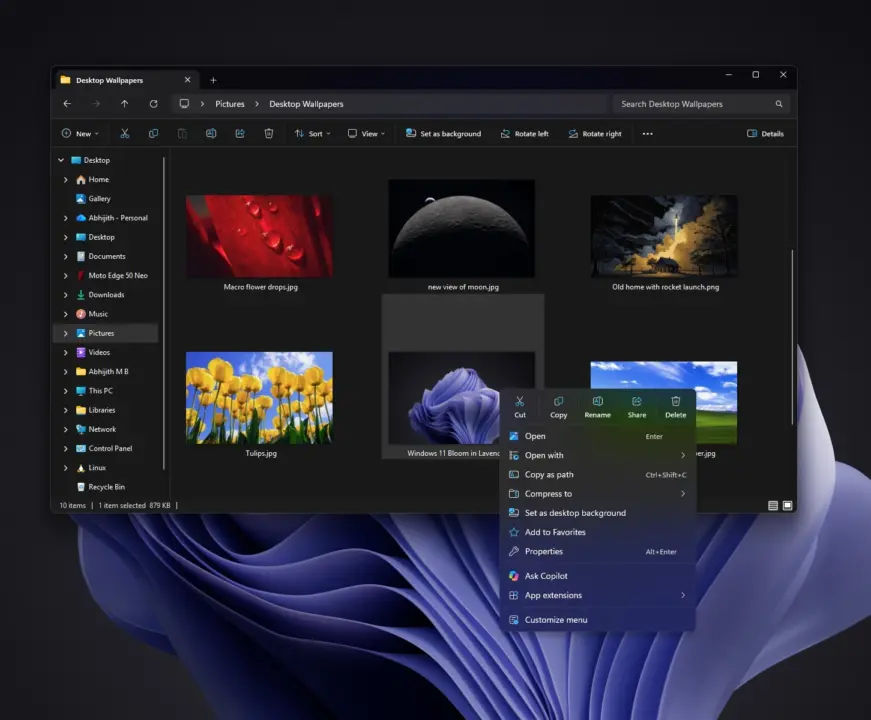
On 10th of November Microsoft issued a cumulative patch for Windows 11 that specifically tackles some of the old UI annoyances. The KB5132061 patch tries to fix the right click menu and improve dialog response time which should make the whole File Explorer experience less frictionful for those who use it daily. So you can get your UI experience refreshed on your desktop without necessarily getting a whole new OS version.
Microsoft reduces menu clutter and adds dark mode to AutoPlay in November patch
Microsoft updated the windows 11 26H2 branch and 25H2 branch to 26300.9974 and 26200.9974. The way they have updated the file explorer context menu to make it way less cluttered with elements. From roughly ~20 entries to 8. This reduction of menu items makes it much easier to quickly find what you are looking for to copy, paste, or even to view properties without having to scroll through a bunch of menu items.
Not only is there a reduction of menu items, they have made a massive improvement in context menu loading time. Before it was a common thing for them to load in the range of 1-2 seconds. Now it just feels almost instant for the new UI.
Also auto play dialog has native dark mode now to match with modern themes. You can always tweak the context menus and go back to the windows 10 context menu style through settings app. If you prefer that.
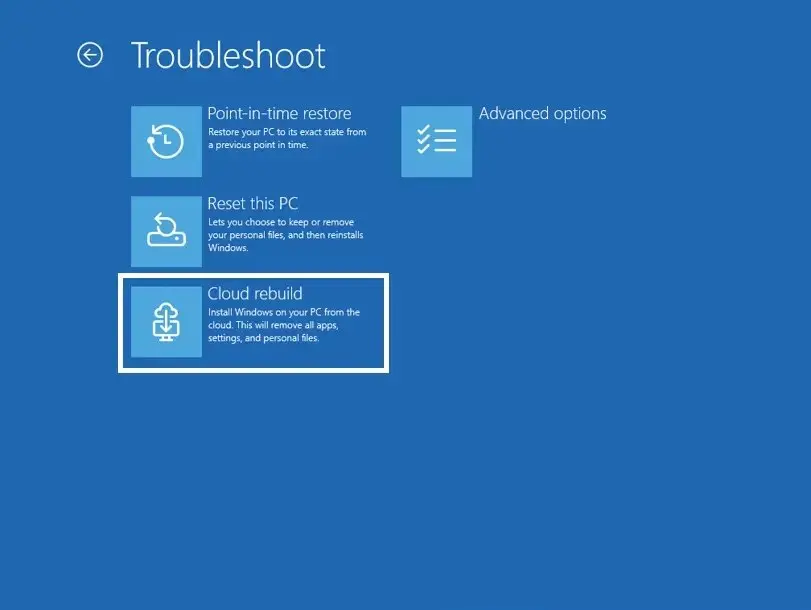
Microsoft has also added Cloud Rebuild capabilities to get you up and running in case of total meltdown. They introduced a way to be able to reinstall Windows and drivers via windows update even if you can't get your local OS to boot up. They also reiterated that they are going to improve legacy Win32 dialogs with WinUI3, but there is no definitive timeline on that overhaul as a whole. In the meantime, Marcus Ash mentioned that they are working on related stuff. "Noted, working on that too.".
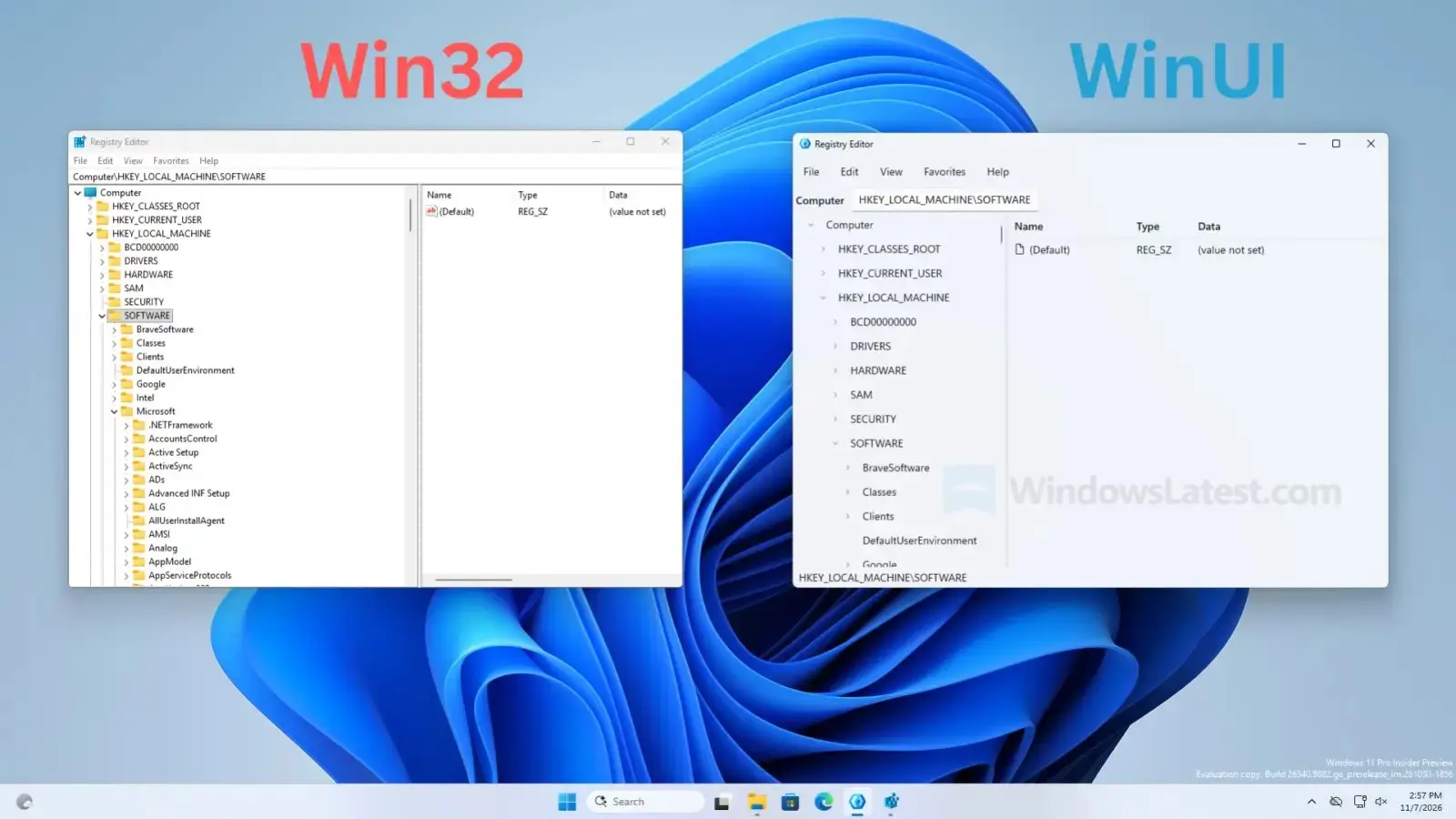
Similar to our previous windows 11 update which was all about stability and balance. This patch now tries to fix UI things that are relevant to regular user as soon as possible. There will be further improvements as they start to incorporate WinUI 3 elements into legacy dialogs.



finally the context menu stops feeling like it is loading from 1998 🤔