

Microsoft is streamlining the Copilot experience in its Office apps. The company plans to reduce the number of Copilot entry points to just two main places. One is a persistent icon in the bottom-right corner. The other appears contextually when users select text.
Copilot button gets docking and new shortcuts
The Copilot button will gain a new docking option. This lets users move the button away from content. Keyboard shortcuts are also changing. The F6 key will focus on the Copilot button. The up arrow key will navigate through prompts. Simplified shortcuts like Alt + C and Cmd + Control + I will be available in Outlook and Word for Windows and Mac in English.
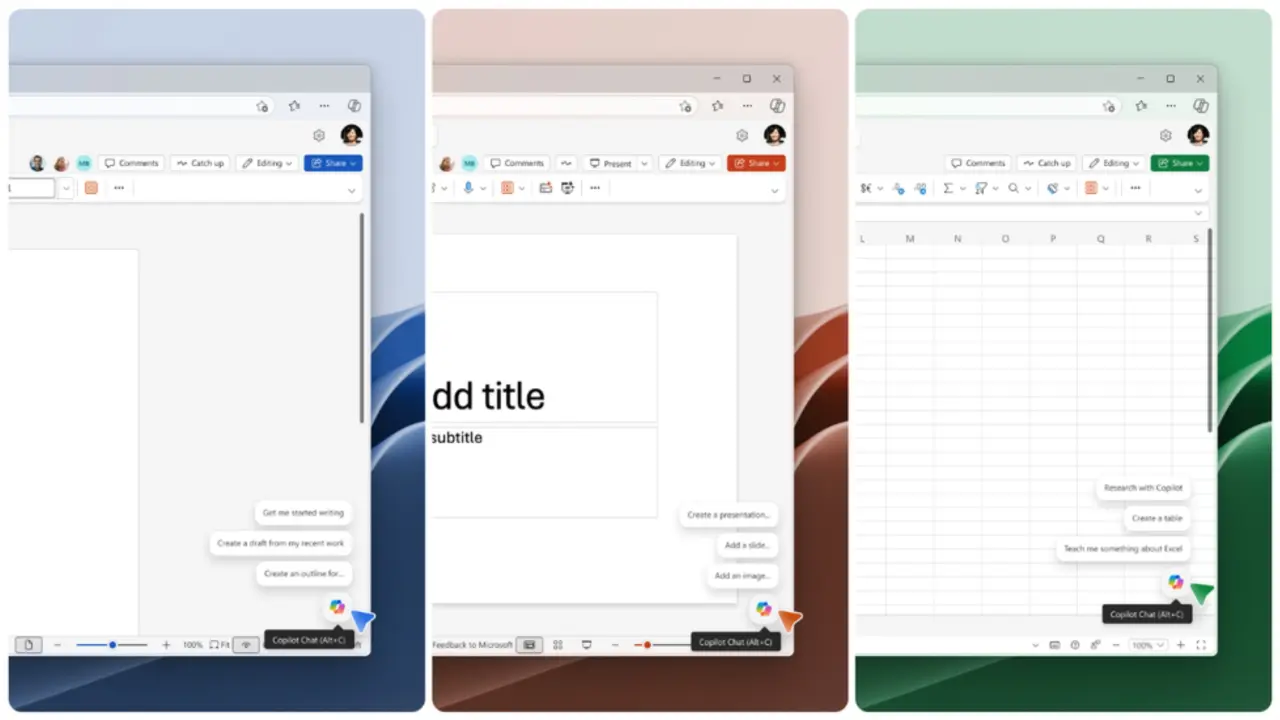
The update will roll out to Word, Excel, and PowerPoint for Windows and Mac. Web support is coming later. General availability is expected by early June 2026. The minimum required versions are Windows Build 2606 version 19822.20182 or later, and Mac Build 16.108 version 26050324 or later.
Microsoft has not confirmed the exact launch window beyond early June. The changes are based on information from the Microsoft 365 Insider Blog.



Discussion
0 comments
Log in to join the thread with a thoughtful take, question, or correction.