

Google has released a bootloader unlocking guide for its new Googlebook laptops, a move that gives advanced users direct access to the system partition. This change matters because it allows you to modify the operating system in ways that standard updates do not permit. If you rely on custom software to extend your device's capabilities, this guide provides the official path to do so.
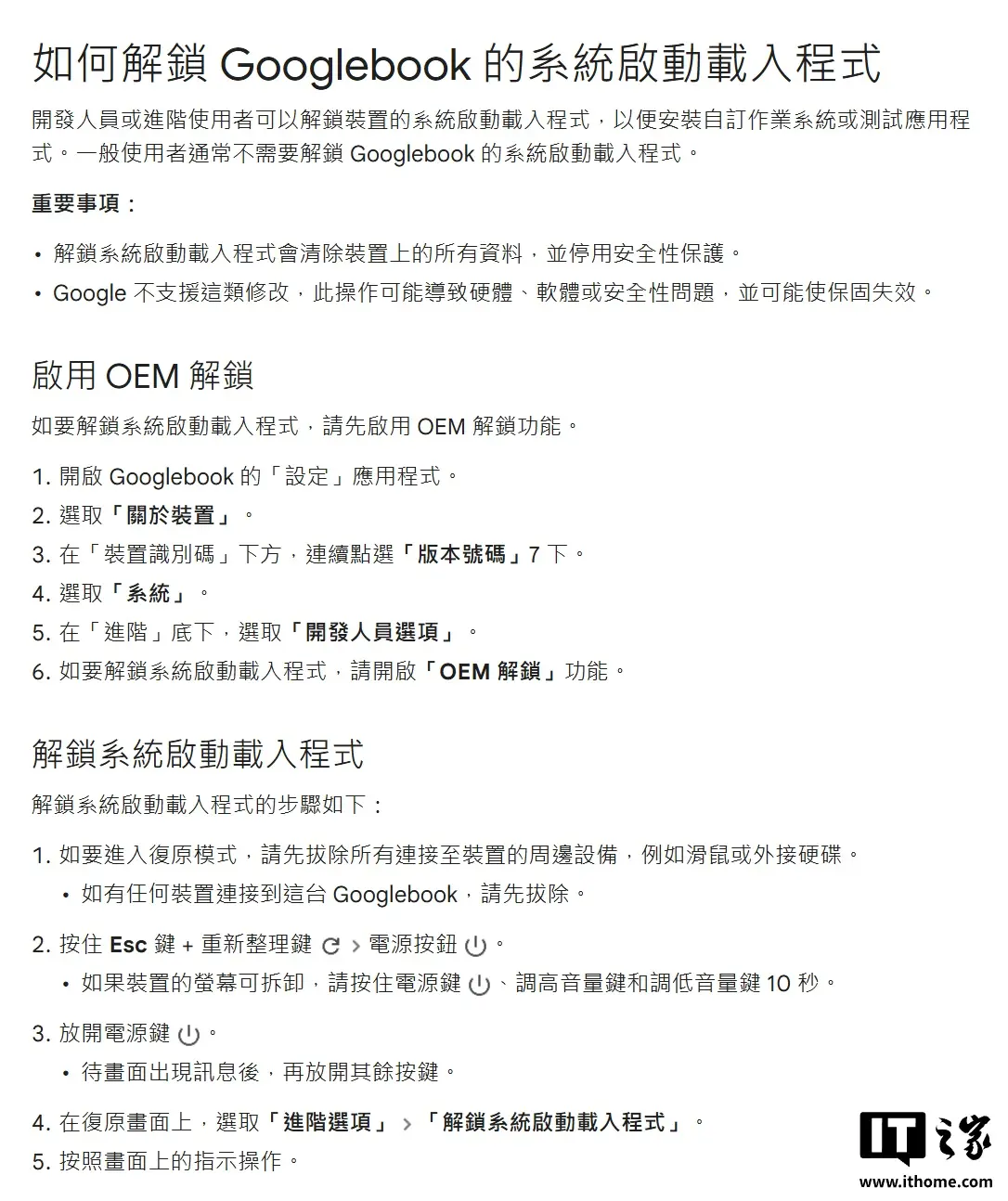
Official instructions allow root access while Magisk adaptation follows
The Googlebook platform runs an operating system that blends Android software with ChromeOS desktop features. This hybrid architecture presents a unique challenge for root management tools that typically target standard Android devices. Google's decision to publish the unlocking instructions signals that they expect power users to interact with this specific OS combination.
Unlocking the bootloader on these devices wipes all user data and voids the manufacturer warranty. The process requires you to follow the specific steps outlined in the newly published guide. Without this official guide, modifying the system would have required unofficial and potentially risky methods.
Wu Honglin, the developer behind the Magisk root tool, confirmed that his software will adapt to support Googlebook. He stated that Magisk will adapt to Googlebook in the coming days. This confirmation suggests that the community root solution will be available soon for users who need it.
The exact release date for Magisk support on Googlebook has not been set. Wu Honglin indicated that specific details will be announced in the coming days. The developer will provide an update once the tool is ready for download.
When we covered the last Googlebook update, several of the same balance and stability themes came up. This new unlocking guide represents a shift toward greater user control over the hardware.
Google has provided the technical means to unlock the bootloader, and Magisk support is imminent. Users can now proceed with caution, knowing that data loss and warranty voiding are the immediate consequences.

Discussion
0 comments
Log in to join the thread with a thoughtful take, question, or correction.