
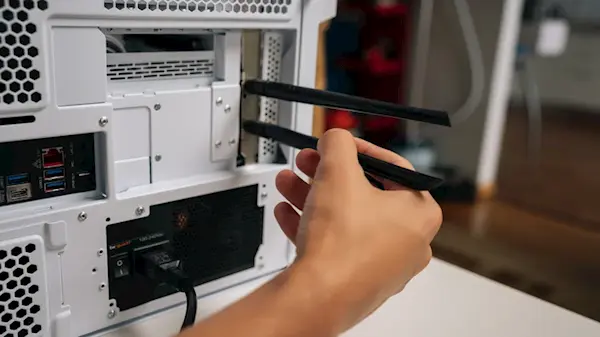
Desktop PCs still use external Wi-Fi antennas in 2026, not because of outdated design, but due to fundamental physical constraints. Metal chassis panels act as signal shields that block internal wireless transmission. Smartphones and laptops integrate antennas into frames or bezels where space is limited and materials are optimized for reception. Integrating antennas internally would compromise a desktop's structural rigidity and heat dissipation capabilities.
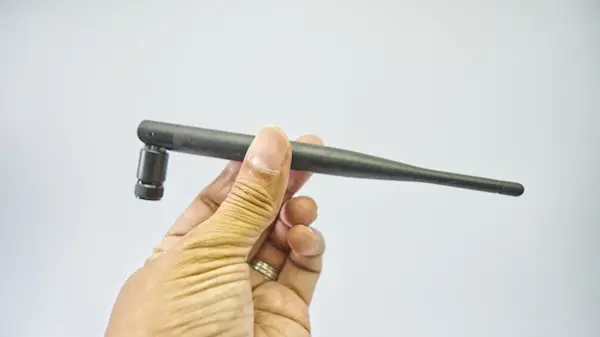
Metal chassis shielding blocks internal wireless transmission requiring external amplification
The Wi-Fi module inside a desktop motherboard has a small form factor with inherently weak signal generation. External antennas amplify the transmitted waves to overcome distance and interference from other devices. This setup ensures stable connectivity across larger rooms where internal modules would struggle to maintain a reliable link.
Bluetooth functionality shares the same antenna infrastructure as Wi-Fi in most modern motherboards. Without external connections, peripherals like headsets and controllers experience frequent disconnections due to signal degradation. A single wireless module needs separate signal paths to manage concurrent Wi-Fi and Bluetooth traffic without causing connection drops.
Antennas are typically mounted on the rear panel of the case where they remain out of sight during normal use. This placement avoids visual clutter while providing optimal line-of-sight transmission away from internal components. Running cables through the case interior requires cutting new openings, which weakens the metal enclosure designed to block external signal disruption.
While pre-built systems may embed antennas in non-metal areas, DIY builders generally lack access to such specialized chassis designs. External connections allow users to adopt faster wireless protocols by simply swapping the antenna, avoiding complex internal hardware changes. Keeping antennas separate ensures that desktop systems remain compatible with upcoming network technologies without requiring full hardware replacements.


Discussion
0 comments
Log in to join the thread with a thoughtful take, question, or correction.