
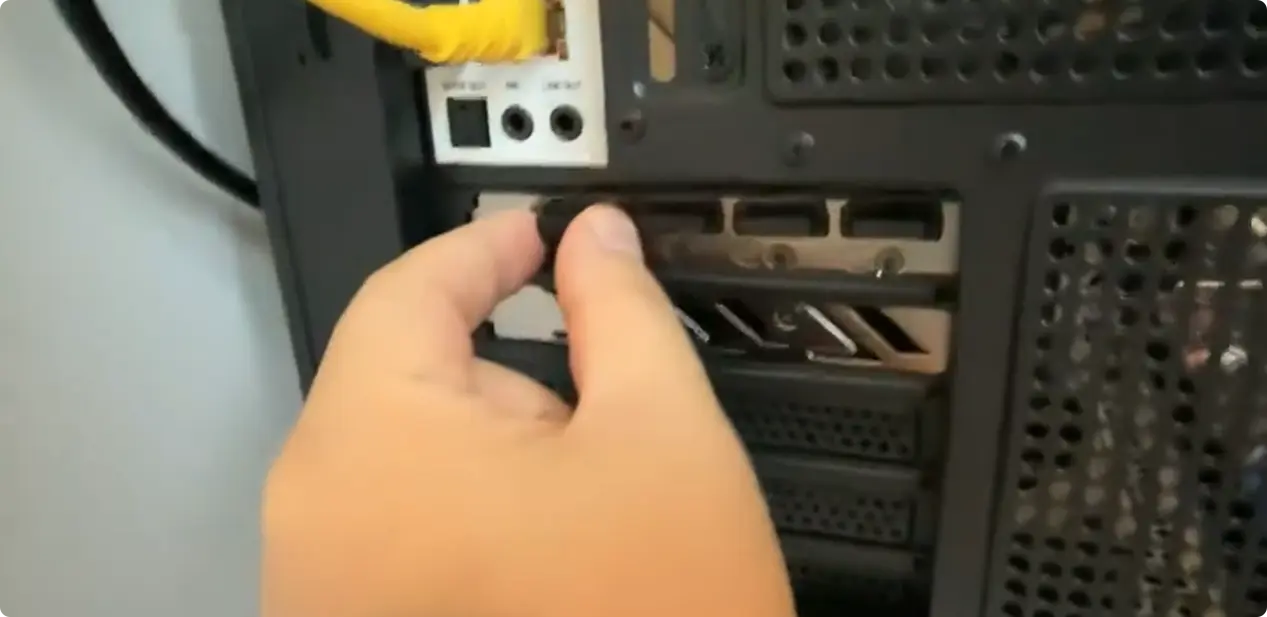
A high-end PC build costing more than 10,000 RMB (around $1,400) delivered surprisingly low gaming performance due to a simple wiring error. This incident highlights a critical mistake that new PC builders often make when connecting their monitors. The user expected high frame rates but instead saw the system struggle with basic tasks.
A simple wiring error forces the system to use integrated graphics
The problem stemmed from how the display cable was attached to the computer case. The user plugged the HDMI cable into the video port on the motherboard rather than the dedicated slot on the discrete graphics card. This configuration forced the system to use the CPU's integrated graphics for all display output.
As a result, the expensive discrete graphics card remained completely idle during gameplay. The hardware even had its protective dust cover still attached, indicating the user never intended to use the motherboard's video output. The system managed only 150 frames per second in League of Legends, which is significantly lower than expected for a high-end rig.
This scenario serves as a practical reminder to check physical connections when troubleshooting low performance. Beginners should always ensure their display cables connect directly to the discrete GPU. Verifying this single connection can prevent wasted money on hardware that appears to be underperforming.
Discussion
0 comments
Log in to join the thread with a thoughtful take, question, or correction.