

Files version 4.2 lands on Windows 11 today, bringing a more structured way to browse folders and faster access to your apps. This update matters because it streamlines the daily workflow for anyone who moves files between drives or manages complex project structures. The release adds a new Tree View to the sidebar and refines how the app handles multiple windows and tabs.
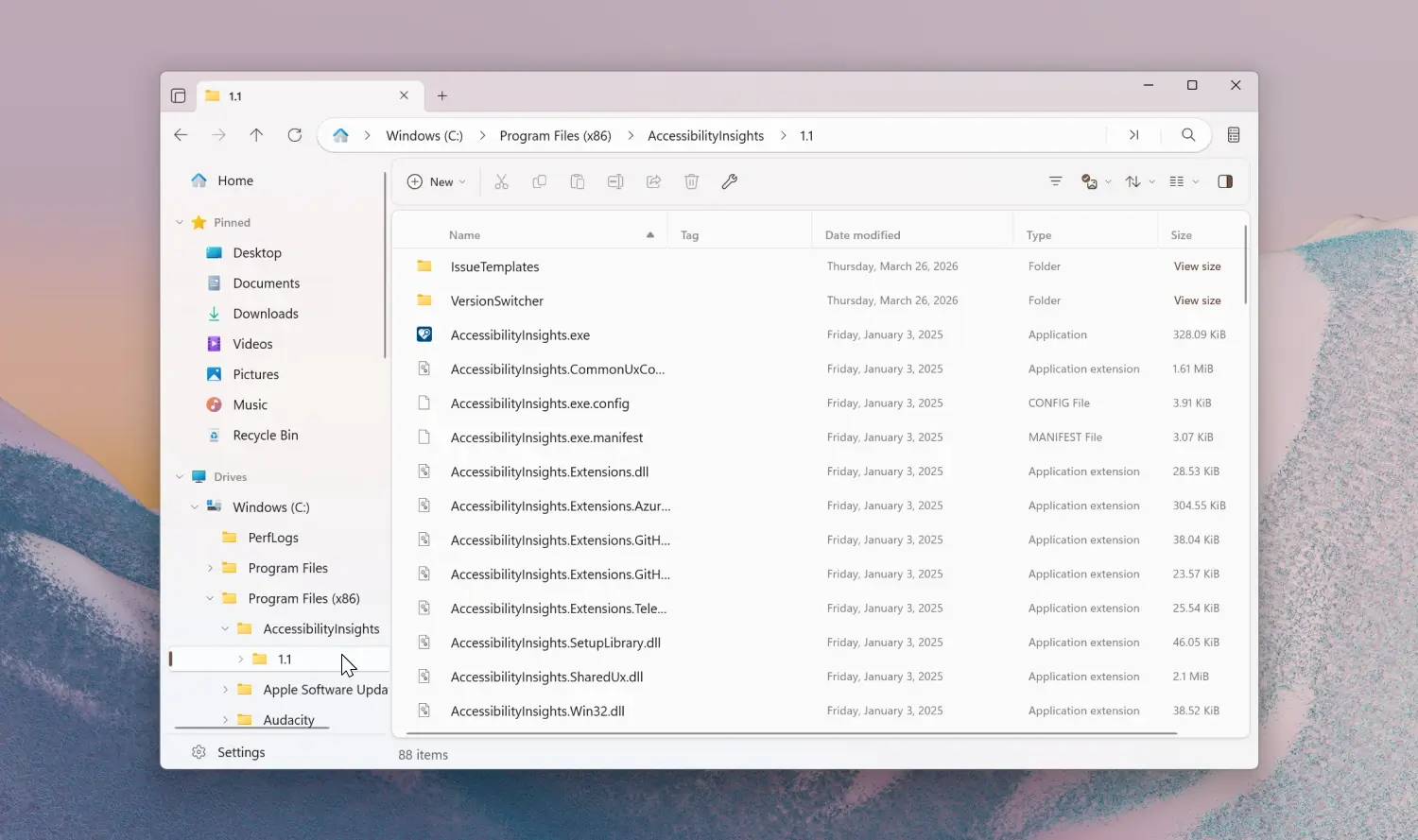
New sidebar navigation and toolbar tools improve daily file management
The Files Community released this update for the popular third-party file manager, which serves as a modern alternative to the default Windows explorer. You can get the software from the Microsoft Store as a paid version or download it for free from the official website. The core platform remains Windows 11, with the update focusing on navigation and multitasking capabilities.
A new Tree View feature now appears in the sidebar to help you browse hierarchical folders without losing your place. The app also adds an 'Open With' flyout to the toolbar for launching applications directly from the file list. Dual-pane functionality sees improvements with drag-to-split actions and a new 'Open in other pane' command. Users can now customize the toolbar using a dedicated search box to find and add specific tools.
The update changes how the app handles file extensions and media metadata. File renaming now always displays extensions, even if the system hides them in normal view. Media metadata editing allows you to populate empty fields and remove album artwork from images. The breadcrumb bar context menu lets you open locations in new tabs, windows, or panes. Layout switching cycles automatically when you scroll past the minimum or maximum icon sizes.
We looked at the last Files update earlier while tracking Windows file manager improvements, and several balance and stability themes came up again. This release fixes issues with Command Palette duplicates and refines drag and hover behavior. The app also adds a Network Discovery banner when the relevant Windows setting is disabled. Session restore for tabs has been improved to keep your workflow intact after a restart.
Files version 4.2 is available now for Windows 11 users. The update brings concrete navigation tools and bug fixes that make everyday file management more convenient. You can update via the Microsoft Store or the official website depending on your preferred distribution channel.


Discussion
0 comments
Log in to join the thread with a thoughtful take, question, or correction.