

Google Sheets users facing broken spreadsheets now have a faster way to repair their work without manually hunting for syntax mistakes. The update introduces an automated debugging tool powered by Gemini that identifies formula errors and applies corrections with a single click. This change reduces the friction of maintaining complex sheets and lets users focus on data analysis rather than error hunting.
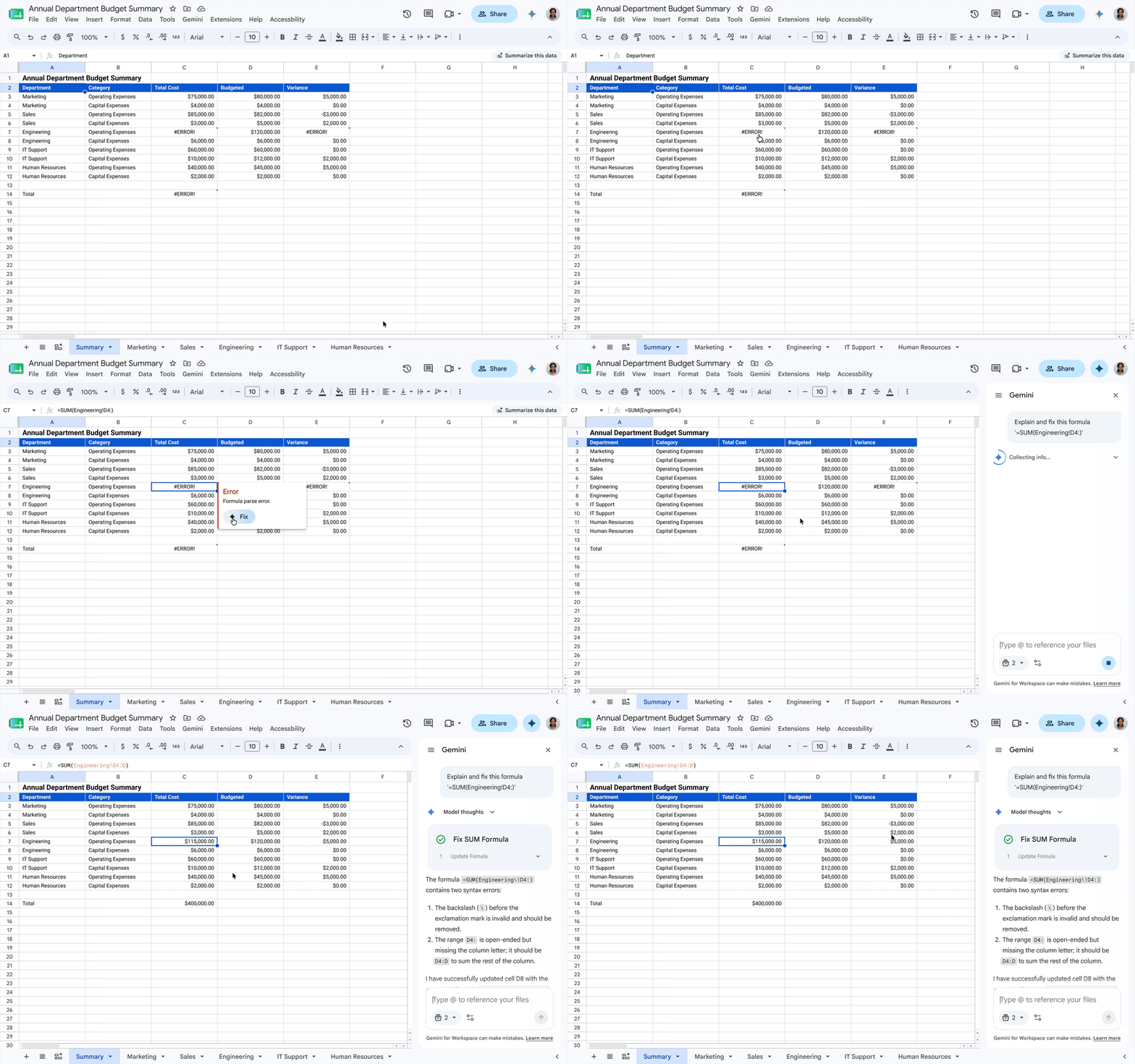
Automated debugging tool reduces manual error hunting
The feature integrates Gemini directly into the Google Sheets interface to handle formula diagnostics. Users trigger the process by hovering over a cell that displays an error code and selecting the 'Fix' option. This action opens a side panel where the AI analyzes the problematic formula and suggests the necessary corrections.
Google Sheets previously introduced basic formula generation capabilities two years ago and later added the '=AI()' function for general queries. The current update builds on that foundation by focusing specifically on error resolution and formula repair. Gemini in Sheets recently demonstrated a 70.48% success rate on the SpreadsheetBench dataset, indicating a high level of accuracy in formula tasks.
Administrators must enable Gemini for Workspace in Sheets for the feature to become available to their users. This requirement ensures that organizations control access to the AI debugging tools before they appear in the interface. The update represents a practical step toward making spreadsheet management more autonomous and less reliant on manual troubleshooting.



Discussion
0 comments
Log in to join the thread with a thoughtful take, question, or correction.