
Microsoft Teams will receive a major user interface overhaul that simplifies the layout and removes visual clutter from the application. The update targets desktop environments across all supported regions including Worldwide, GCC, GCC High, and DoD editions. Mobile, Linux, and consumer versions of the platform remain excluded from this redesign effort.
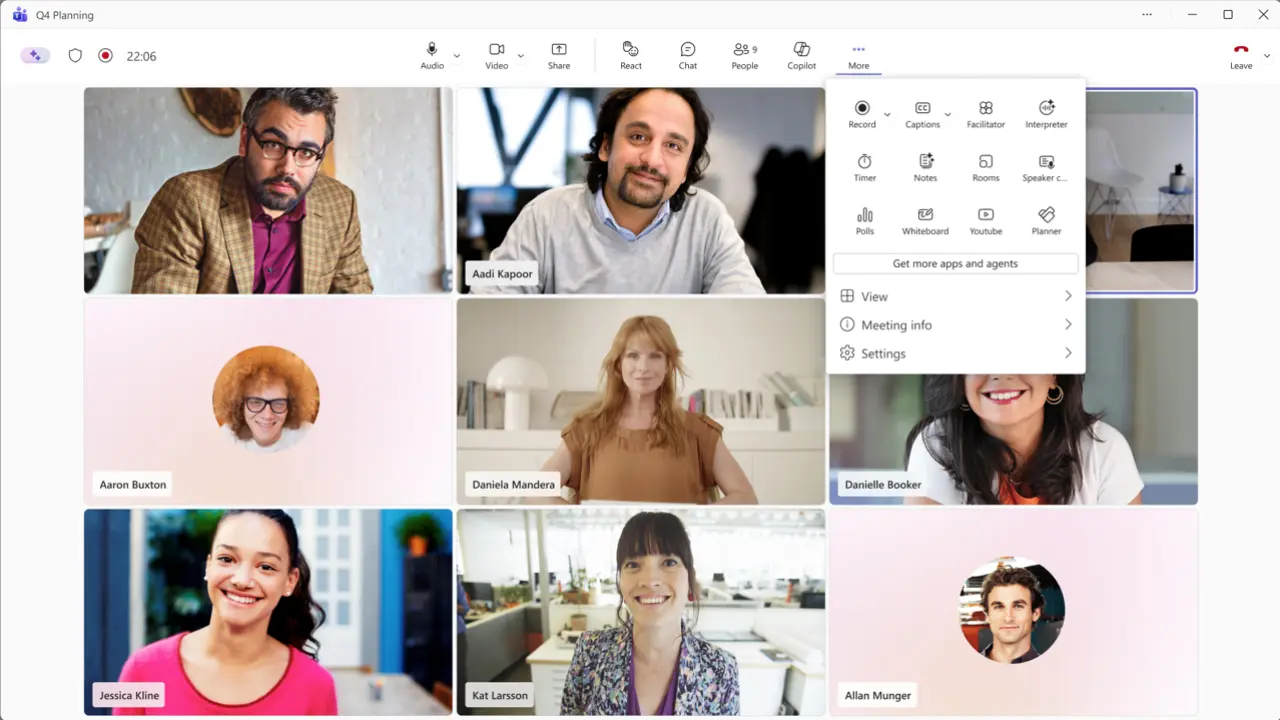
New meeting controls center-aligned with leave button moved to far-right edge
Meeting controls shift to a center-aligned position with the leave button relocated to the far-right edge of the toolbar. Microphone, camera, and share buttons cluster together while other functions move into an overflow menu labeled More. Users can rearrange toolbar items through drag-and-drop actions or pin frequently used tools for quick access. The share panel adopts a new layout featuring live previews on the right side alongside tabbed options for Screens, Apps, and Interactive Files on the left.
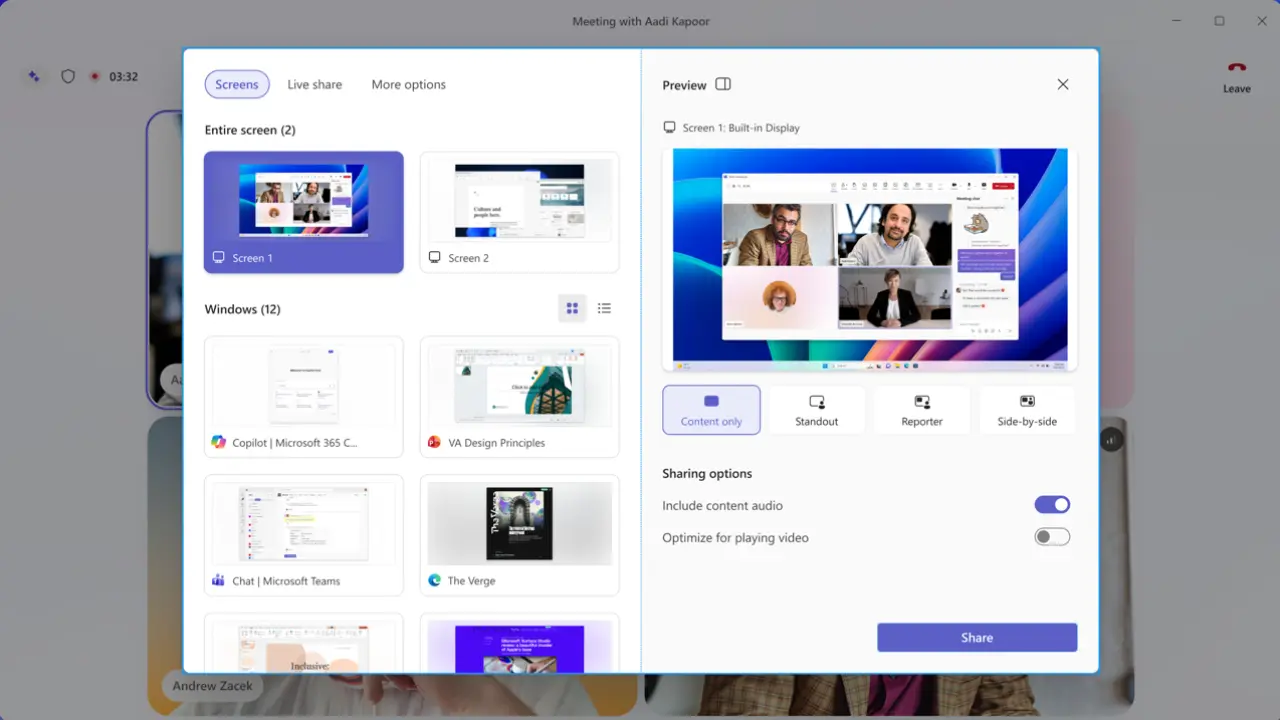
Microsoft introduces a two-step confirmation process to prevent accidental screen sharing during meetings. This additional verification step requires explicit user action before content transmits to other participants. The redesigned interface cannot revert to previous layouts at the tenant level once deployment completes. Individual users retain opt-out capabilities only during the preview phase before general availability begins.
Toolbar customization settings persist on a per-device basis while cross-device synchronization remains planned for future updates. Rollout starts in early July 2026 through targeted release channels with broader access following in August 2026. Microsoft has not confirmed whether the new default view will include rollback options after full deployment.

Discussion
0 comments
Log in to join the thread with a thoughtful take, question, or correction.