
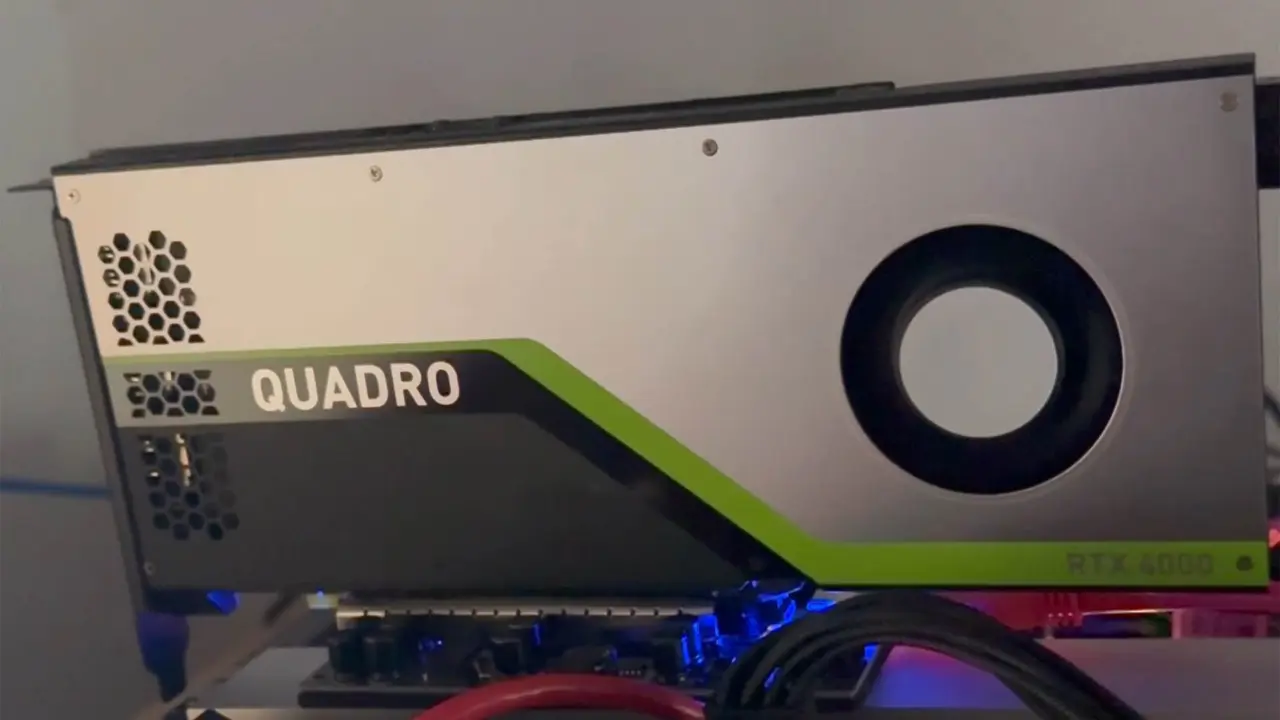
Proofing that you can run AI modern LLM on cheap old GPUs, repurposed as local AI inference engines. Giving budget developers and hobbyists a way to do private AI on the cheap without paying the high costs of cloud AI or premium consumer GPUs. And showing that for AI dedicated use cases you don’t need bleeding edge silicon, with the NVIDIA Quadro RTX 4000.
Caveman Tech tests Qwen3-8B performance on legacy hardware
Caveman Tech ran the NVIDIA Quadro RTX 4000 with the Qwen3-8B model. Really huge stuff in the world of hardware repurposing. They ran the GPU on a PCIe x1 riser cable, which is pretty common when you want to squeeze multiple GPUs into a small case. It usually ends up choking on bandwidth but here we see local AI inference isn’t held back by it.
Specifications
- GPU Model: Quadro RTX 4000
- VRAM Capacity: 8GB
- Inference Speed: 56 tokens per second
- Context Window: 65,000 tokens
- Power Limit: 110W
The GPU managed an inference speed of 56 tokens per second. The same speed as when running this card in the full PCIe x16 slot. And the Quadro RTX 4000 has 8GB of video memory, which meant they could use a 65,000 token context window. So 8GB is good enough for local use cases with long context prompts.
There’s some tuning to do to get the most out of it for throughput. With a setting for an f16 KV cache memory we can get a 24% improvement to tokens per second. And when running 4 prompts at a time it got us 96 tokens per second, for a 1.75x aggregate throughput. And we also saw a 7% improvement to tokens per watt when we limited the board power to 110W.
So legacy workstation GPUs can be cost effective nodes for local AI work. It seems the PCIe x1 isn’t a limitation in token generation speed for this workload. So if you want to put together an affordable AI rig, use these performance benchmarks to make decisions.
Discussion
0 comments
Join the thread with a thoughtful take, question, or correction.