
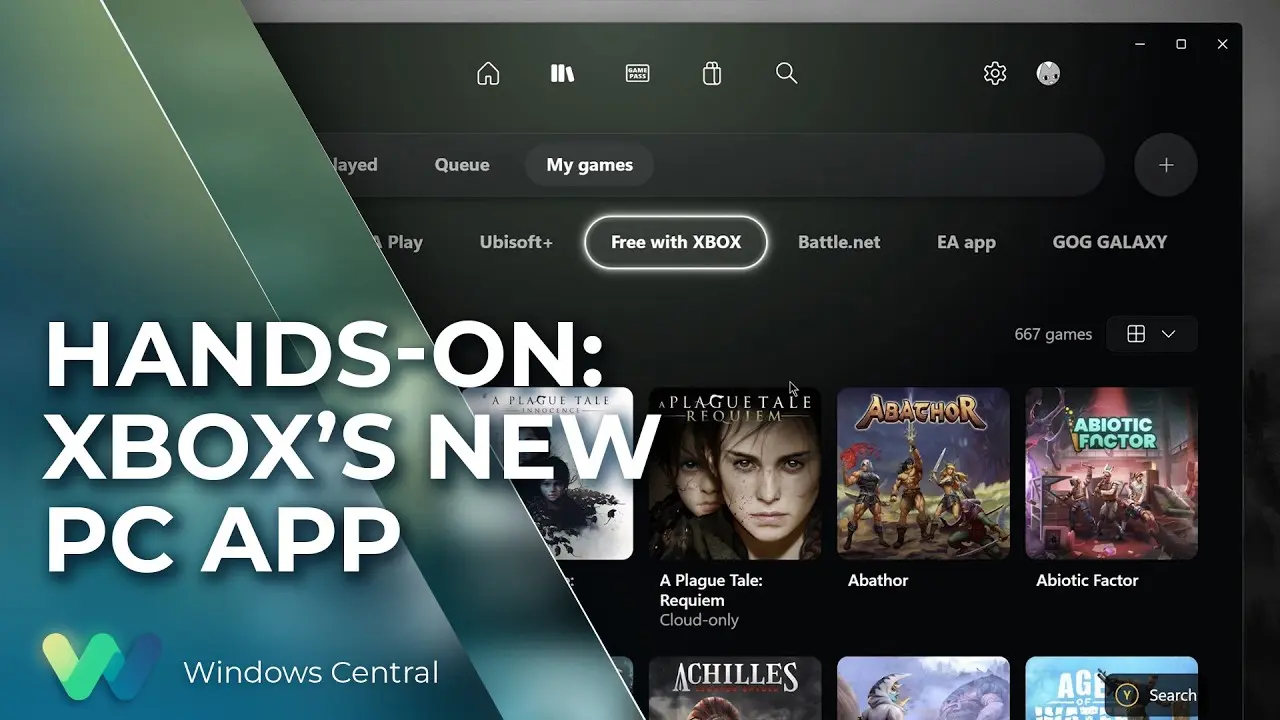
Microsoft is launching a new Xbox application for Windows PCs to modernize the gaming experience. This shift matters because it replaces the legacy interface that many users find outdated and clunky. Buyers who rely on the PC for their Xbox ecosystem will get a cleaner, more contemporary tool. This update reflects a shift from legacy software structures to a more integrated platform design.
Modern client replaces clunky legacy interface for Windows PC users
The new app serves as the primary client for Xbox services on Windows machines. The update seeks to simplify access to game libraries, social features, and subscription services. This change supplements or fully replaces the previous Xbox app interface depending on the user's current setup. This application plays a key role in Microsoft's strategy to connect console and PC gaming experiences.
The primary purpose of this release is to refresh the user interface and improve backend connectivity. Microsoft is focusing on modernizing the experience rather than adding new hardware features. The application probably features updated design elements to align with current Windows standards. This technical update helps ensure the software remains compatible with recent Windows releases.
This software update follows earlier reports about Microsoft expanding its Xbox intellectual property beyond video games. When we covered the last Xbox update, several of the same balance and stability themes came up. The new app continues Microsoft's strategy to refine its digital distribution platform. Users can anticipate a more stable connection to their existing accounts and subscription services.
Microsoft confirms the release of this new Windows application as part of its ongoing software improvements. The legacy Xbox app will likely be phased out in favor of this modernized version. Users should check the Microsoft Store for the latest version of the application. This change helps align the PC gaming experience with the broader gaming ecosystem.


Discussion
0 comments
Log in to join the thread with a thoughtful take, question, or correction.