
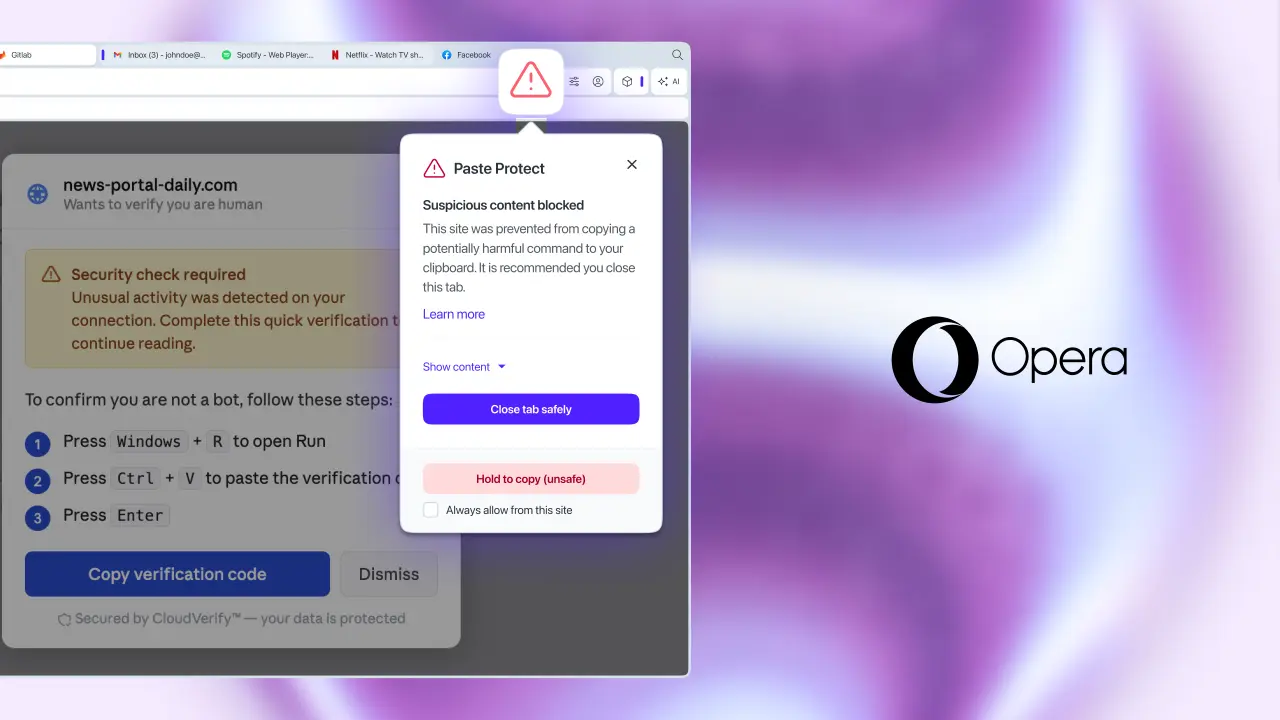
Opera has introduced a built-in security feature called Paste Protect for its desktop browser, aiming to stop users from accidentally pasting malicious commands into their systems. This update matters because a growing wave of social engineering attacks, such as the ClickFix technique, tricks people into copying harmful code from fake error screens or CAPTCHAs. Without protection, these commands can steal passwords or crypto wallets the moment they are pasted into a terminal. Opera positions this tool as a necessary shield for everyday users who frequently copy text from untrusted websites.
Built-in injection protection blocks malicious commands before they execute
The new feature is integrated directly into the Opera desktop browser, removing the need for users to install separate third-party extensions. Opera claims to be the first major browser to offer this level of native clipboard protection, distinguishing itself from competitors that rely on add-ons for similar security. The tool targets the specific behavior of ClickFix, where attackers disguise malware as helpful instructions that users willingly execute. By embedding this defense, Opera aims to reduce the friction between staying safe and browsing the web.
Paste Protect combines two distinct components: Hijack protection, which has been part of the browser since 2021, and a new Injection protection module. The Injection protection monitors the clipboard in real-time to detect suspicious content before it reaches any application. When the system identifies a potential threat, it displays a warning popup marked by a red icon to alert the user. This immediate visual cue allows users to pause and verify the content before proceeding with the paste action.
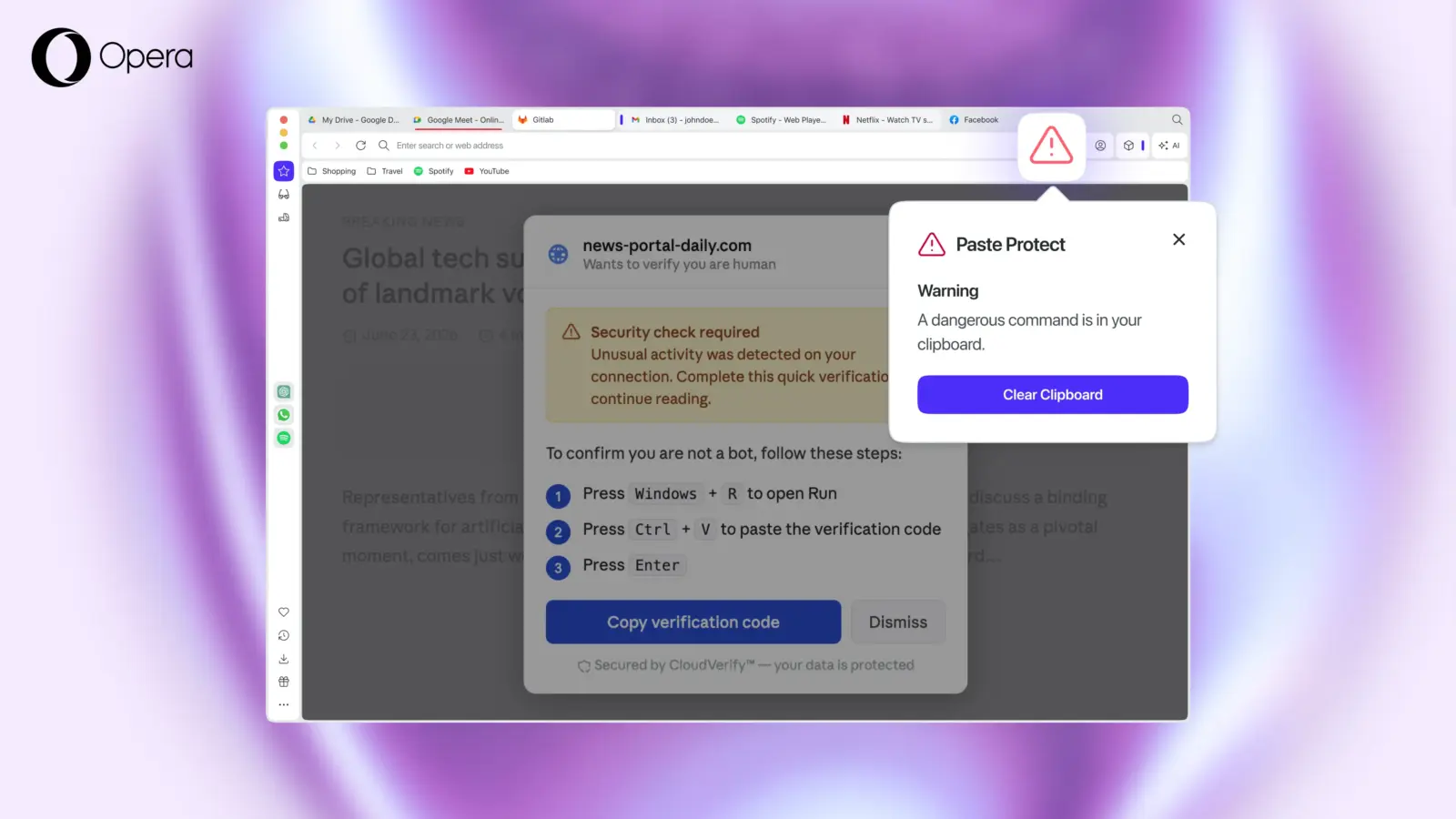
Users have specific controls when a paste is blocked by the system. They can view the first 120 characters of the suspicious content to understand what was intercepted. The feature also allows users to whitelist specific sites they trust, ensuring legitimate content passes through without interruption. For urgent situations, users can force a copy by holding down Ctrl and C for five seconds to override the block. This balance of security and user control ensures that legitimate workflows are not disrupted by false positives.
This release coincides with recent reports of Lumma Stealer malware using similar social engineering tactics to infect hundreds of thousands of Windows PCs. The timing suggests Opera is responding to an immediate spike in clipboard-based attacks that target casual computer users. By offering a native solution, Opera provides a straightforward path for users to secure their devices without technical expertise. The feature is now available to all Opera desktop users as a standard part of the browser experience.

Discussion
0 comments
Log in to join the thread with a thoughtful take, question, or correction.