
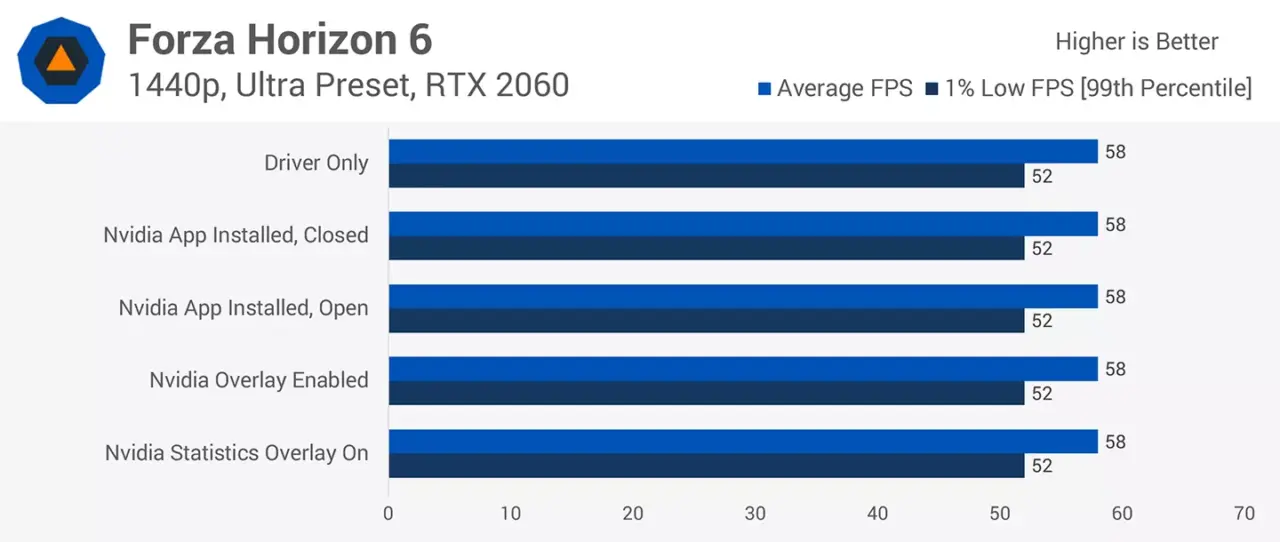
Gamers often worry that new system utilities will slow down their favorite titles, but a recent benchmark for the NVIDIA App shows the background software does not reduce frame rates. This finding matters because it confirms that users can run the app without sacrificing gaming performance on standard setups. The test results provide a clear baseline for players who want to keep the software installed for convenience.
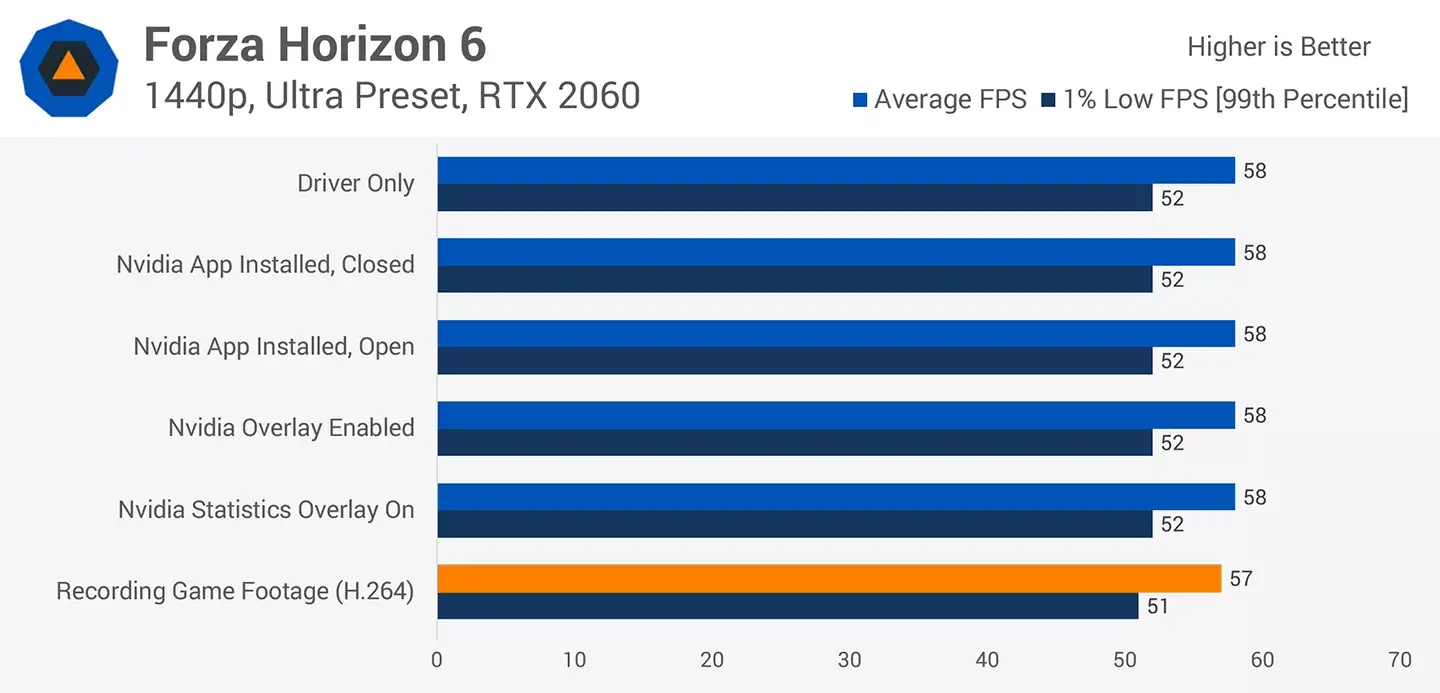
TechSpot tests confirm background software is lightweight
TechSpot conducted the evaluation using a high-end RTX 5060 Ti 16GB paired with a Ryzen 7 9800X3D processor. They also ran the same tests on an older RTX 2060 to ensure the findings applied to different hardware generations. All benchmarks were performed at 1440p resolution across several popular titles including Forza 6, Marvel Rivals, and Red Desert.
The data indicates that the NVIDIA App itself and its overlay statistics have no measurable impact on game performance. Whether the app runs in the background or stays closed, the frame rates remain identical to a clean driver-only system. This consistency holds true for both the newer RTX 5060 Ti and the legacy RTX 2060 hardware used in the testing.
Performance drops only appear when users enable specific features like video recording or game filters. Recording native 1440p video causes a minor 2 to 3 percent frame drop on both tested GPUs. The Sharpen+ game filter creates the largest impact, reducing frame rates by up to 10 percent on both the RTX 5060 Ti and RTX 2060.
Results show NVIDIA App itself has no impact on game frame rates, but game filters can cause up to 10% performance loss. This quote from TechSpot summarizes the core finding that the software is lightweight, but visual enhancements carry a cost. Users should be aware that enabling filters will lower performance, while the app itself remains invisible to the GPU load.
We looked at Apple PICO Codec Cuts Bitrate 2.3-3x earlier while tracking Nvidia launches. The testing confirms that the NVIDIA App is a safe addition for PC gamers who do not rely heavily on intensive post-processing filters. The software delivers its utility without penalizing the frame rates that matter most during gameplay.

Discussion
0 comments
Log in to join the thread with a thoughtful take, question, or correction.